add-circle-bold add-circle add-square add alarm-bell-1 alert-diamond analytics-pie-2 archive archive arrow-down-1 arrow-down-2 arrow-left-1 arrow-right-1 arrow-up-1 attachment-1 bin-paper-1 book-star button-record check-1 check-circle-1 close close-quote close cog-1 cog common-file-stack copy-paste credit-card-1 diagram-fall-down disable time-clock-midnight download-thick-bottom drawer-send envelope-letter envelope-letter expand-6 expand-6 file-code filter-1 floppy-disk flying-insect-honey folder-file-1 headphones-customer-support hierarchy-9 hyperlink-2 information-circle keyboard-arrow-down keyboard-arrow-up layout-module-1 list-bullets lock-2 lock-unlock-1 love-it messages-bubble-square move-to-top multiple-circle multiple-neutral-1 multiple-users-1 navigation-menu-horizontal navigation-menu network-browser open-quote pencil-1 pencil-write pencil-1 print-text rating-star rating-star remove-circle remove-square-1 search send-email-1 shield-warning single-neutral-actions single-neutral smiley-sad-1 smiley-unhappy smiley-indifferent smiley-smile-1_1 smiley-happy smiley-sad-1 smiley-unhappy smiley-indifferent smiley-happy smiley-thrilled social-media-twitter synchronize-arrows-1 tags-double ticket-1 ticket-1 time-clock-circle undo view-1 view-off view wench

How to Find Advanced Equipping Materials

This option is available to those who have listed their event on the THI Events Page. Any materials for the event that you listed will auto-populate as suggestions in this tab. If did not add your event to the THI Events page, please see Step 1 (Materials Library Alternative) below.

Step 1: Click on “My Programs” – “Materials for my events”.
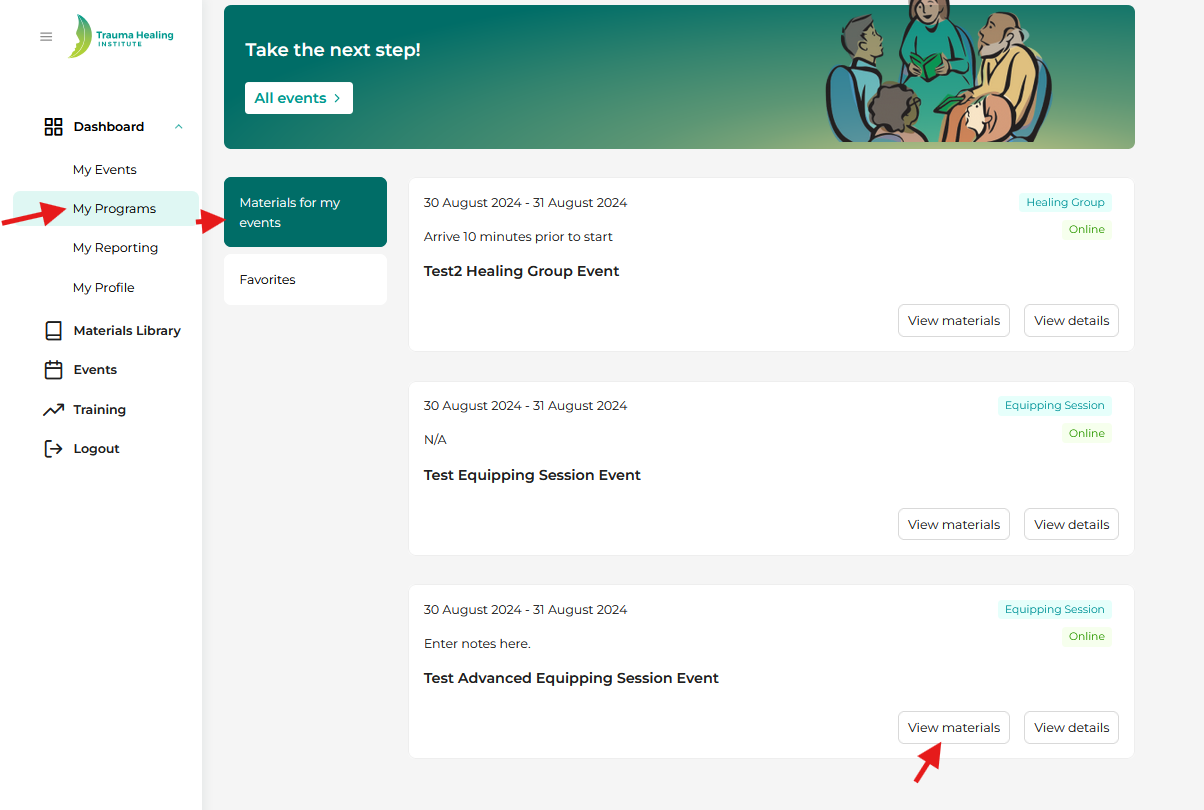
Step 2: Click on “View materials” to access the Materials Library to download or copy the material link (via the chain link icon) into your event.


Step 1 (Materials Library Alternative): If you have not added your event to the events page, you will access the materials through the “Materials Library” tab. 
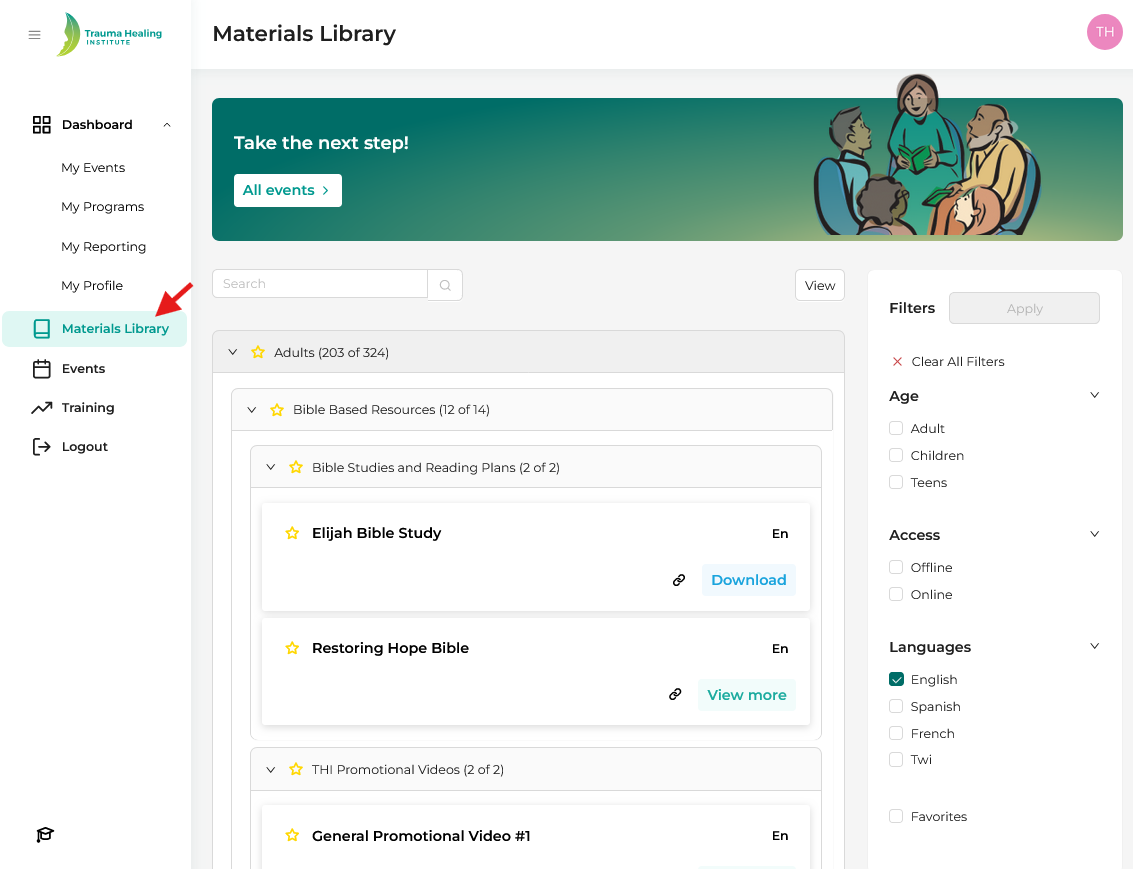
Step 2: Search for the applicable materials for your event and either download or copy the material link into your correspondence with participants.