
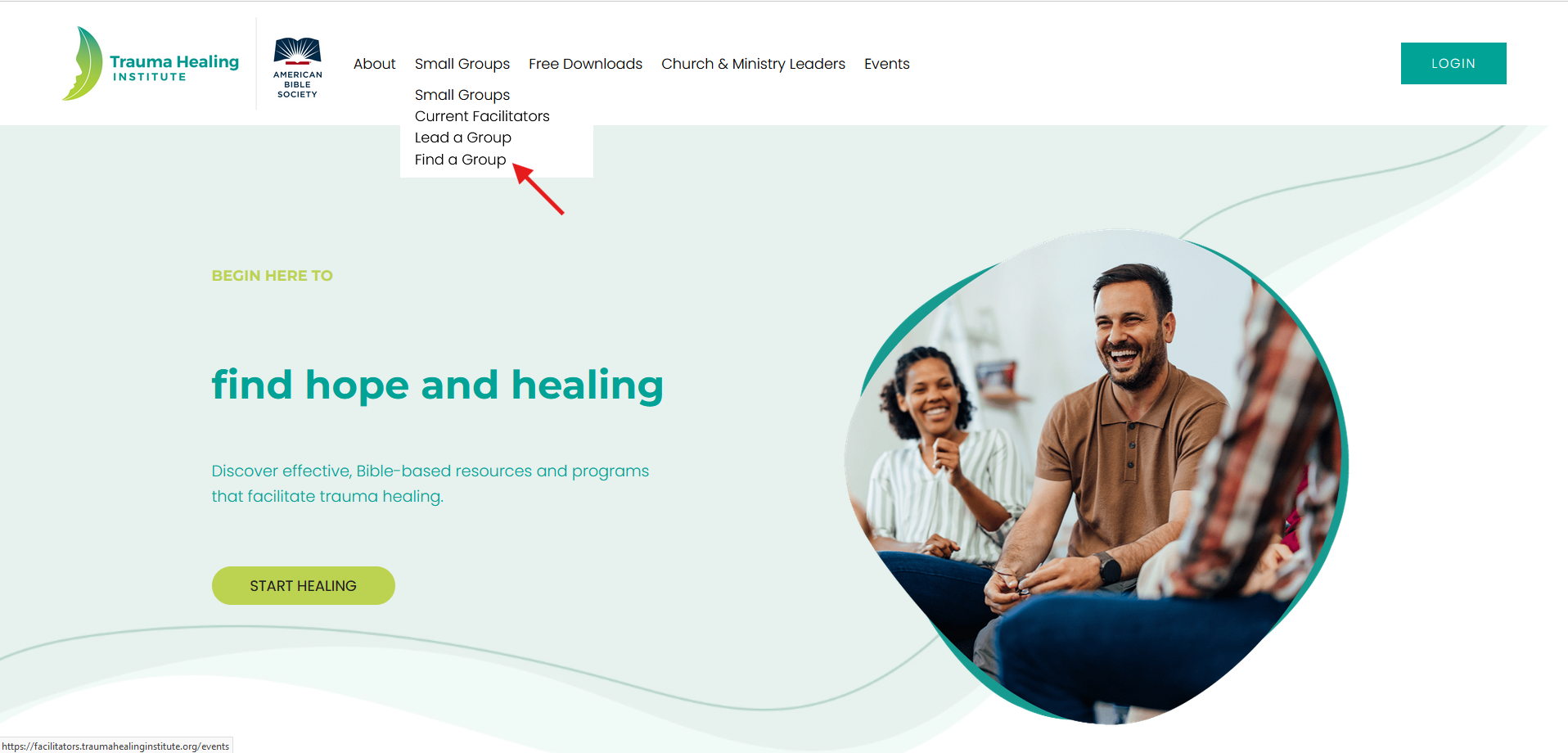
Step 1: Visit https://traumahealinginstitute.org/ and click on “Lead a Group” under the “Small Groups” menu.
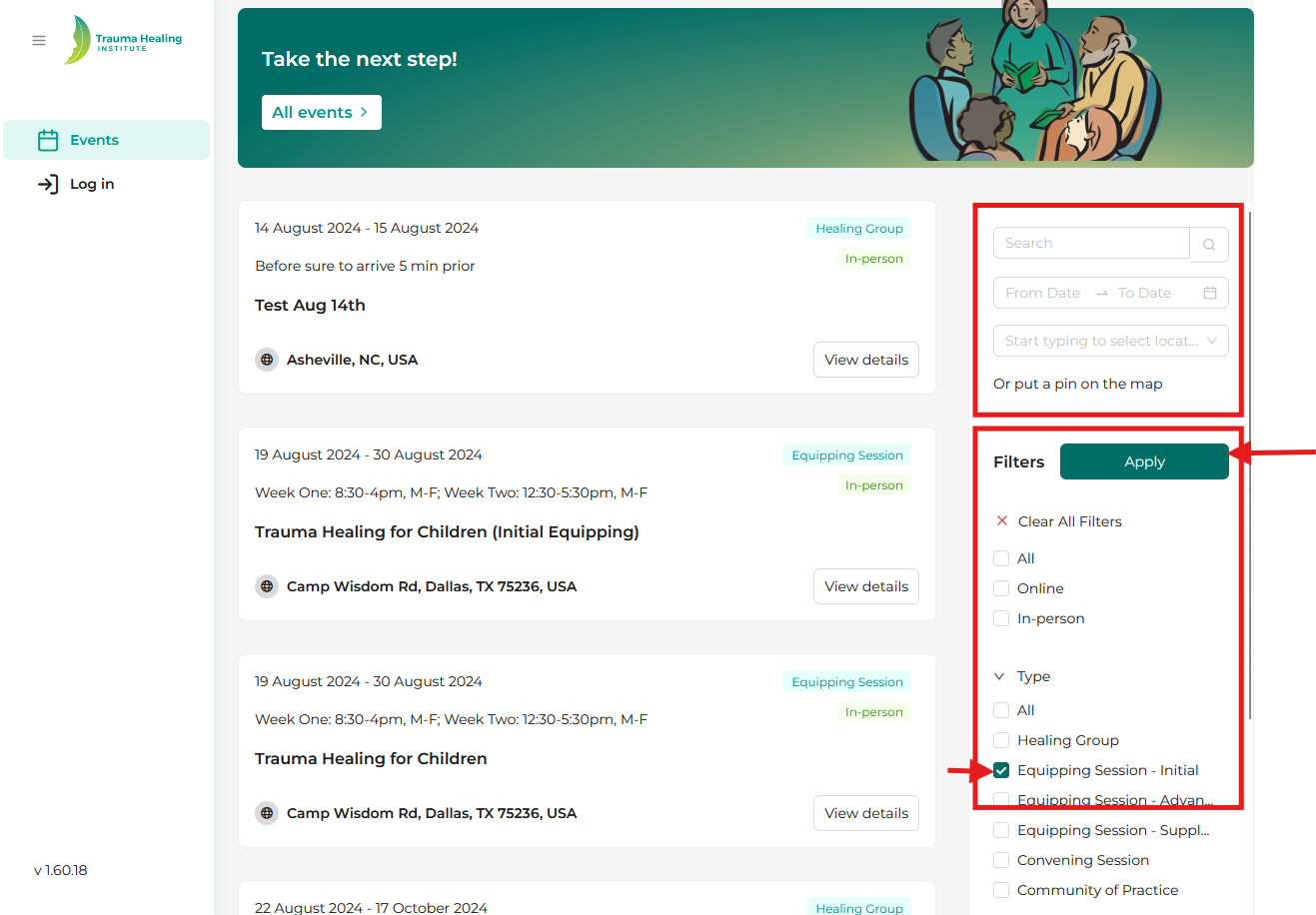
Step 2: Search for an initial equipping session by:
- Date
- Location
- Online or In-Person
- Type of Event: Click on “Equipping Session - Initial” box and click “Apply”
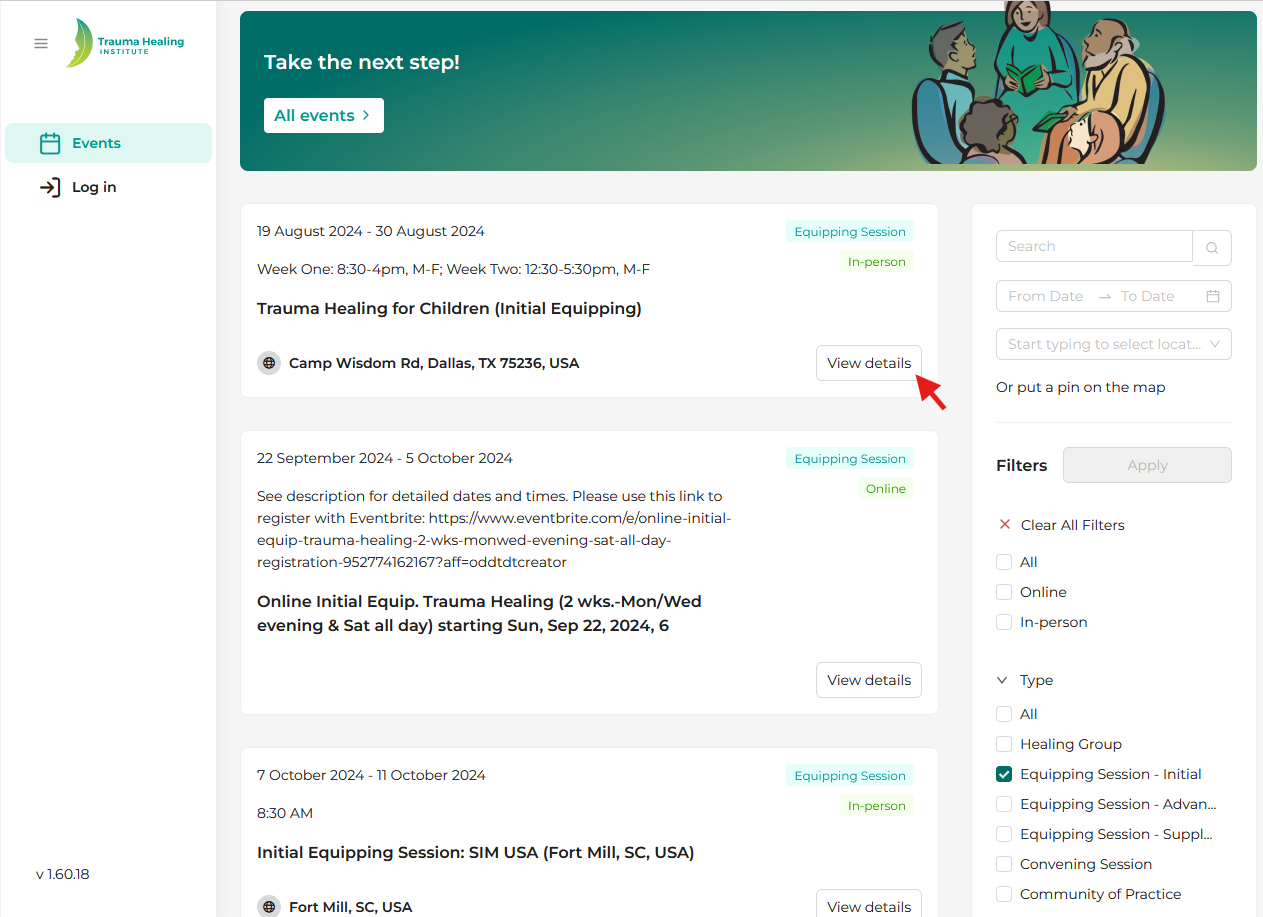
Step 3: Click on the equipping session event “View Details” button to go to the registration page.
Step 4: Click on the “Register” button and enter your name and email address.
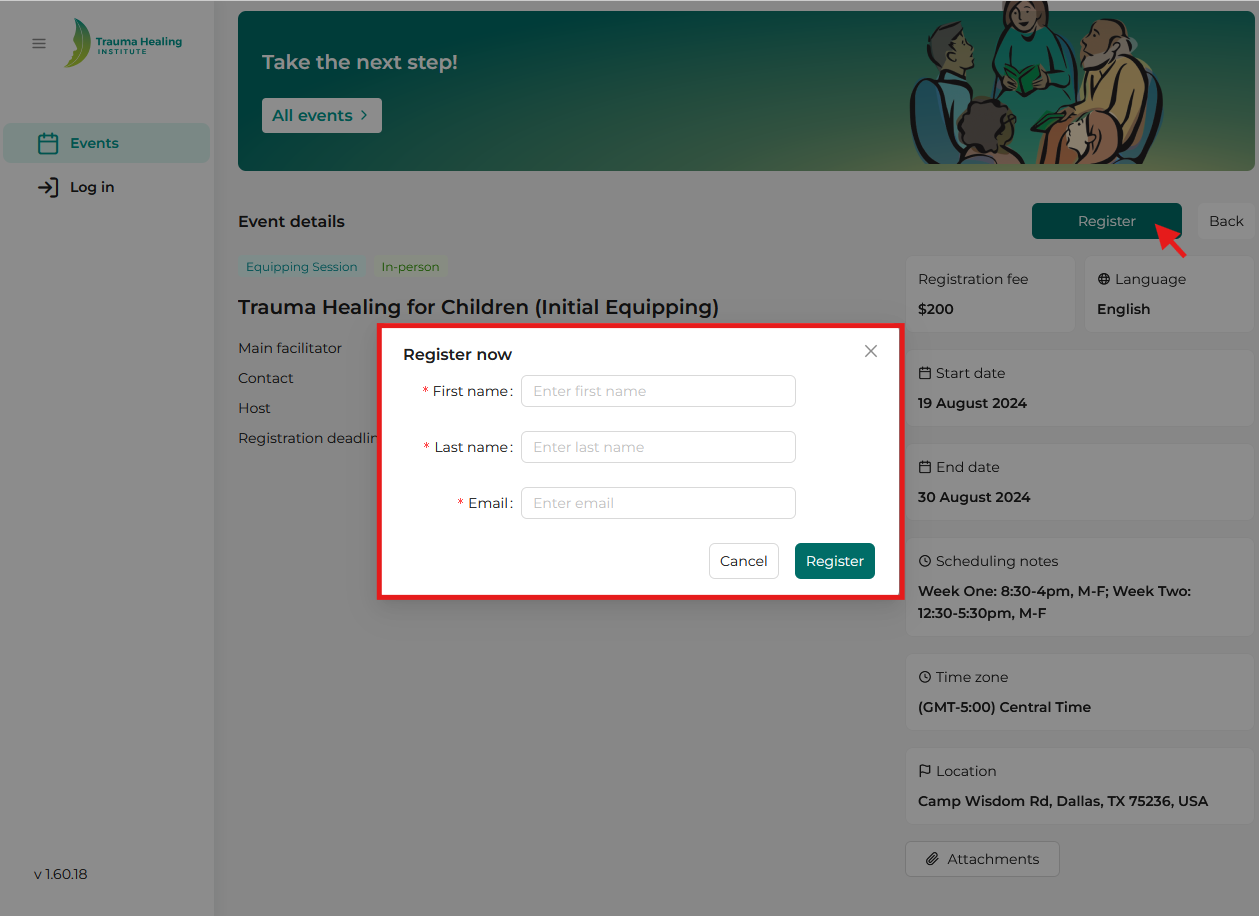
Step 5: Make sure pop-ups are enabled on your browser. If pop-ups are blocked, the registration process may be interrupted. Click the “Register” button again in the “Register now” pop-up box.
Step 6: You will receive an email from THI confirming your enrollment in the event with a link to view the event details directly. If the registration involves an external link (such as Eventbrite or a Google Form), clicking "Register" will open the relevant external registration page.
Step 7: If you are a new user to THI, the email will also contain an invitation to create an account on the Trauma Healing Institute website. This account will give you access to free materials and resources to support you in leading Healing Groups. Click the “Sign Up” button in the email to set up your account.